

 gh
gh
22Bet App
The 22Bet app is basically the full site squeezed into your phone. You can place sports bets, play casino games, check your balance, and withdraw your winnings while you’re on the sofa, on your lunch break, or stuck in traffic.


Most players in Ghana are on their phones all day anyway, so 22Bet leans into that. Instead of forcing you to use a laptop, they’ve built a full mobile setup: an Android app, an iOS app, and a mobile site that works smoothly, even if you don’t want to install anything. Everything feels familiar once you’ve logged in a few times.
On Android, you download 22Bet APK straight from the site. If you’re using an iPhone or iPad, you follow the links to the iOS version from trusted sources. You don’t need a separate profile for mobile the same account, the same GHS balance, and the same features follow you from screen to screen.
Live football bets, quick slots, deposits, withdrawals, and verification can all be done from your phone in a few taps, without ever opening a desktop computer.
Mobile App for Android
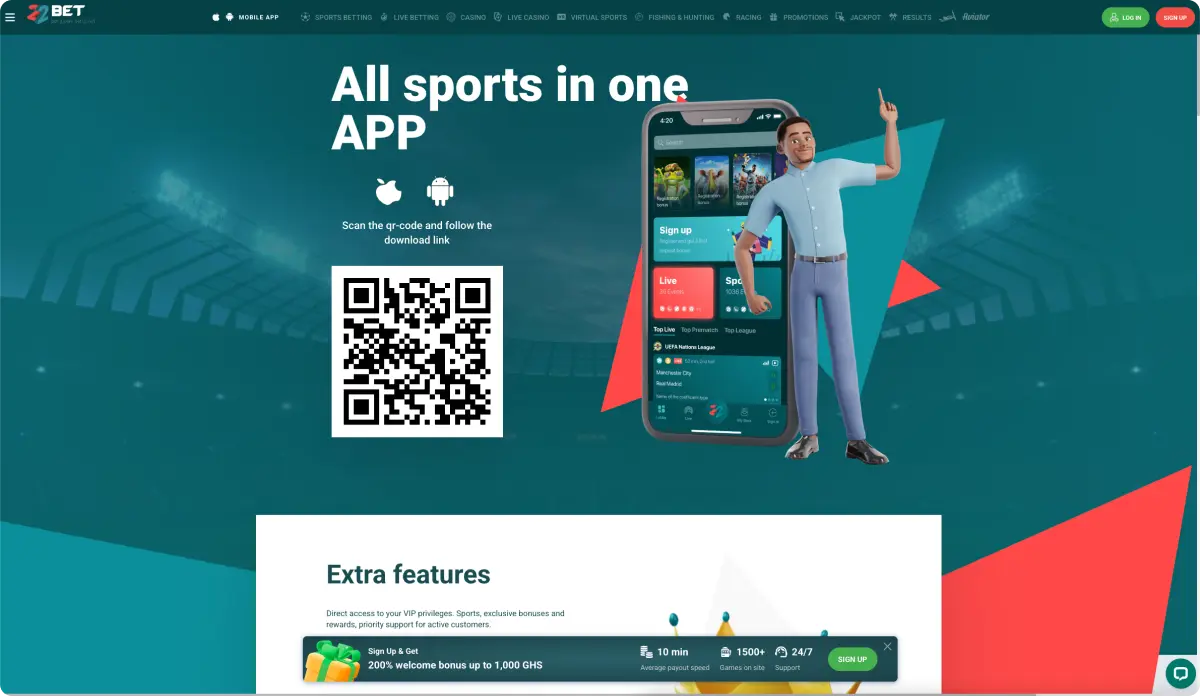
If you are on an Android phone or tablet, you can install the 22Bet app in just under 5 minutes. The app is built for quick navigation, easy one-handed betting, and low data usage, so even if your connection isn’t perfect, you can still place bets and play casino games.
Where can you get the app? The actual 22Bet app download is done directly from the official site, which helps you avoid fake files or outdated versions from random sources.
How To Download 22Bet App And Install
Getting the 22Bet Casino app for Android is straightforward and takes only a few minutes. Once installed, it gives you full access to the sportsbook, casino, the live section, and everything else in one place.
Here’s a simple step-by-step guide:
- Open the official 22Bet website on your Android device using Chrome or another mobile browser.
- Scroll to the mobile section or tap the Android icon or the “App” banner that you see on the home page.
- Confirm the download when your browser asks if you want to save the installation file.
- If your phone warns you about installing apps from unknown sources, go to “Settings” → “Security” →“Install unknown apps”, and allow installs from your chosen browser.
- Find the downloaded file in your notifications or the downloads folder and tap it to start the installation.
- Follow the on-screen prompts and wait for the process to complete.
- Tap the new 22Bet icon, log in with your existing details, or create a new account if you’re a first-time player.
After that, you’re ready to deposit in GHS, claim bonuses, and enjoy both sports and casino sections directly from your Android screen.
Compatible Devices
The app is designed to run on most modern Android smartphones and tablets commonly used in Ghana, not only expensive flagship models. As long as your device uses a relatively recent Android version, has enough storage for the app and updates, and has a stable internet connection (mobile data or Wi-Fi), 22Bet mobile should work smoothly.
Mobile App for iOS
Apple fans are covered as well. The iPhone and iPad version of the 22Bet application mirrors the layout of the main site but is tuned for iOS gestures and navigation.
Menus, bet slips, and game categories are well-arranged, so you can switch quickly between sports, live, casino, and your account in just a few taps. The design keeps things clear and uncluttered, even when you’re checking several markets at once.
How to Download and Install
On iOS, installation is usually even simpler than on Android, because the app goes through Apple’s normal checks. You do not need to download 22Bet APK from any random site. Always follow official links.
To download and install the 22Bet app on your iPhone or iPad:
- Open Safari on your iPhone or iPad and visit the official 22Bet site.
- Look for prompts or banners that mention the iOS app. Tap through to the official download page or App Store link.
- When the App Store page opens, tap “Get” (or the cloud icon) to start the installation.
- Confirm with Face ID, Touch ID, or your Apple ID password if asked.
- Wait for the app icon to appear on your home screen.
- Launch the app, then log in or register as a new player.
Once logged in, you can access the full sportsbook, casino, live betting, and cashier, just like on desktop.
Compatible Devices
The iOS app is designed to work on mainstream iPhone and iPad models that can run current versions of iOS. If your device can handle other modern apps and has some free space, you should be able to download 22Bet and enjoy the full experience without issues.
Older devices might still run the app but could feel slower when streaming live odds or loading graphics-heavy games. If that happens, you can switch to the mobile website or lower some visual settings where possible, to keep things smooth.
RegistrationFeatures of The App
Once you’re inside the app, you’ll notice that almost everything from the full desktop site has been carried over to your phone.
Key features include:
- Full Sportsbook Access: pre-match and live betting on football, basketball, tennis, and many more sports.
- Casino and Live Casino: hundreds of slots, table games, and live-dealer titles.
- Fast Bet Slip: place singles, accumulators, and system bets with a few taps.
- Real-Time Updates: odds and scores refresh quickly, so you can follow the action.
- Secure Cashier: deposit and withdraw in GHS using popular methods.
- Profile and Settings: manage bonuses, set limits, and update your details.
- Push Notifications (Where Enabled): get alerts about results, promotions, and other updates.
The layout is built for small screens, with clear buttons, readable odds, and a simple menu structure. That means you can place bets, cash out, or spin slots comfortably with one hand while on the move.
Registration Process Via The App
You don’t need a separate account to use the app. One profile works across desktop, mobile site, and the app. If you’re new to 22Bet, you can register directly on your phone in just a few steps.
Here’s how it usually works:
- Open the app and tap “Register” on the home screen.
- Choose your preferred sign-up method.
- Enter your personal details: Name, contact info, and country (Ghana).
- Select GHS (Ghanaian Cedi) as your account currency.
- Create a secure password and, if you wish, choose a sports or casino welcome bonus.
- Tick the box confirming you are 18+ and accept the terms and conditions.
- Complete any SMS or email verification requested.
Once this is done, you can log in from the app, mobile site, or desktop with the same credentials. Just remember that you must not create multiple accounts, and you should always keep your password secret.
RegistrationMobile Website Version
If you prefer not to install anything, the mobile website is a great alternative. Simply open your browser on your phone, visit the official 22Bet site, and the pages will automatically adjust to your screen size.
The mobile site offers:
- The same sports and casino content as the app.
- Full access to promotions, bonuses, and VIP rewards.
- A secure cashier for deposits and withdrawals in GHS.
- Registration and login options identical to the desktop experience.
You can also create a home screen shortcut from your browser. This adds a 22Bet icon to your phone that opens the site in near full-screen mode, behaving very much like a lightweight app but without taking extra storage space. It’s a good option if your device is older or already packed with other apps.
Mobile Games
The app and mobile site are packed with games designed to run smoothly on phones and tablets.
From the casino or live casino sections, you can:
- Spin hundreds of online slots, from simple fruit-style classics to modern titles with free spins, multipliers, and bonus rounds.
- Play table games, including roulette, blackjack, and baccarat in various versions.
- Join live-dealer rooms, where real croupiers run the tables from professional studios.
- Try fast games and instant win titles for quick sessions when you only have a few minutes.
Most games are optimised to load quickly, and graphics are scaled for smaller screens, so reels and cards remain easy to read. If you’re on a slower data connection, you can pick lighter games, reduce background apps, or connect to Wi-Fi to keep performance smooth.
RegistrationMobile Betting
For sports fans in Ghana, the mobile experience turns your phone into a fully-featured betting shop that you can carry around in your pocket.
Using the app or mobile site, you can:
- Browse pre-match markets days before kick-off.
- Place live (in-play) bets as the action unfolds.
- Build accumulators and system bets on leagues from all over the world.
- Check match trackers and basic statistics to support your decisions.
- Review open and settled bets in your history.
- Use cash out.
Frequently Asked Questions
Is the 22Bet App Free for Players in Ghana?
Do I Need a Different Account for the App and the Desktop Site?